
IP Reputation
The IP Reputation module provides reputation scoring and intelligence for IP addresses associated with your external infrastructure. It checks your IPs against multiple threat intelligence sources to identify addresses that may be blacklisted, flagged for abuse, or associated with malicious activity.
Overview
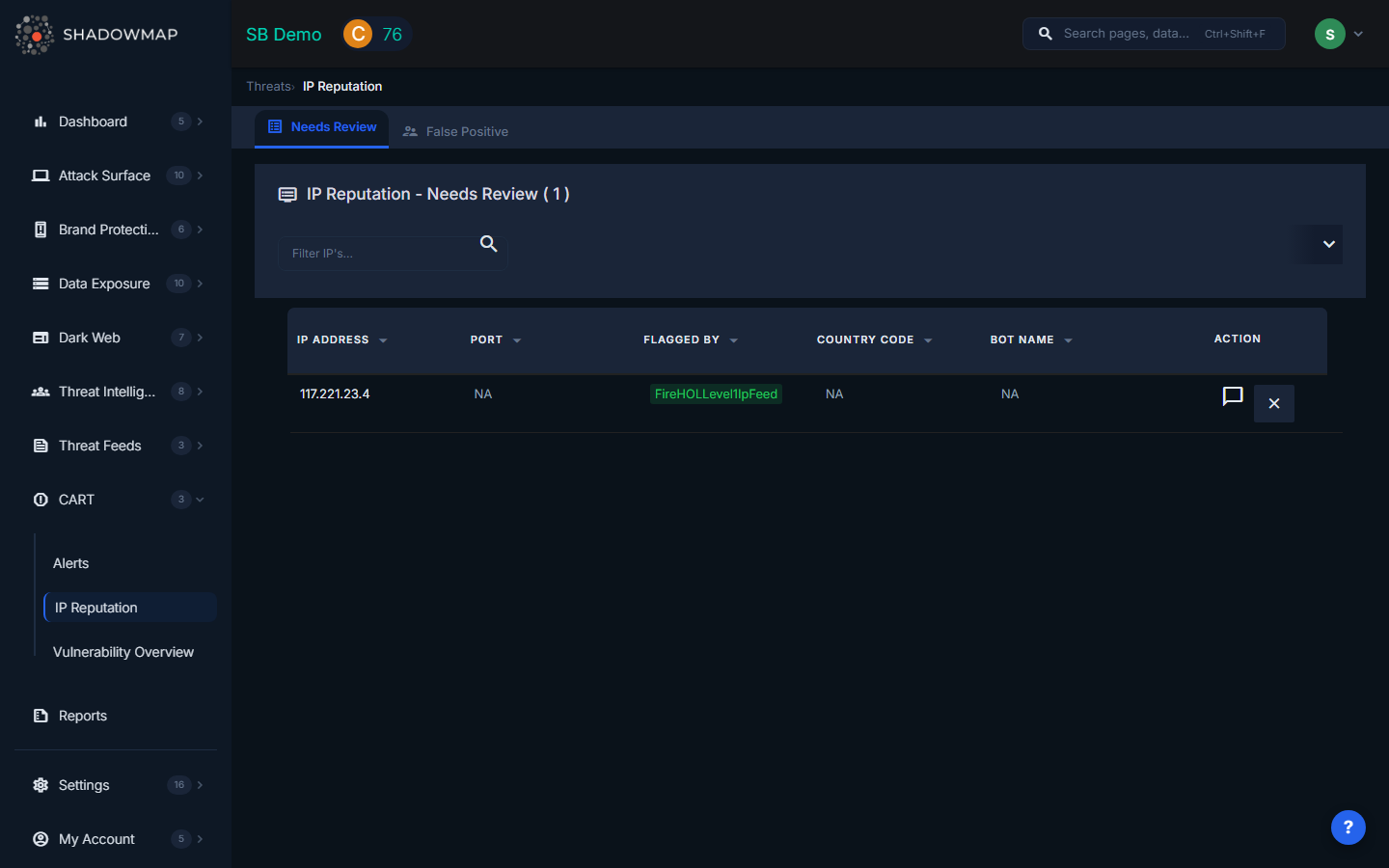
The page displays IP reputation findings in a scrollable table with column headers for IP Address, Port, Flagged By, Country Code, and Bot Name. The table supports progressive loading as you scroll, with dynamic search filters at the top.
Table Columns
| Column | Description |
|---|---|
| IP Address | The IP address that was flagged by one or more threat intelligence sources |
| Port | The specific port associated with the flagged activity, if applicable |
| Flagged By | The threat intelligence source(s) that reported the IP. Shown as badges indicating which databases or blacklists contain the IP |
| Country Code | Geographic location of the IP address |
| Bot Name | If the IP was flagged as part of a botnet, the associated bot or malware family name |
| Actions | Comment on findings and mark as false positive |
Connection to IP Addresses Module
IP Reputation findings are linked to your IP Addresses inventory. When an IP in your asset inventory appears on a threat intelligence blacklist, it surfaces here as a reputation finding. This connection helps you:
- Identify which of YOUR IPs have been flagged (not just random IPs on the internet)
- Correlate reputation issues with specific services and ports you are running
- Track remediation progress as you resolve the underlying issues causing blacklisting
Filtering and Search
The dynamic search filter panel supports filtering by:
- IP Address -- Search for a specific IP
- Port -- Filter by port number
- Flagged By -- Filter by threat intelligence source
- Country Code -- Filter by geographic location
- Risk -- Filter by severity level
- SLA status -- Filter by SLA violation state
Filters use AND logic. An export function is available to download all matching results.
Available Actions
| Action | Description |
|---|---|
| Comment | Add internal notes to a finding for team coordination |
| Mark as False Positive | Flag a finding as a false positive to remove it from the active view |
| Remove from False Positive | Restore a previously marked false positive (available in the false positive view) |
| Export | Download matching findings for reporting |
Common Causes of IP Reputation Issues
- Compromised servers sending spam or participating in DDoS attacks
- Open relays or proxies being abused by third parties
- Shared hosting where another tenant's malicious activity taints the IP
- Historical activity from a previous IP owner that was not cleaned up
- Misconfigured services generating traffic patterns that resemble malicious behavior
Recommended Workflow
- Review flagged IPs to determine if the reputation issue is legitimate or a false positive
- Check which services are running on flagged ports and whether they are properly secured
- Cross-reference with your IP Addresses inventory to understand the asset's importance
- Remediate the underlying issue (patch, reconfigure, or decommission the service)
- Request delisting from the relevant blacklists after remediation
- Mark false positives for shared hosting or historical issues outside your control